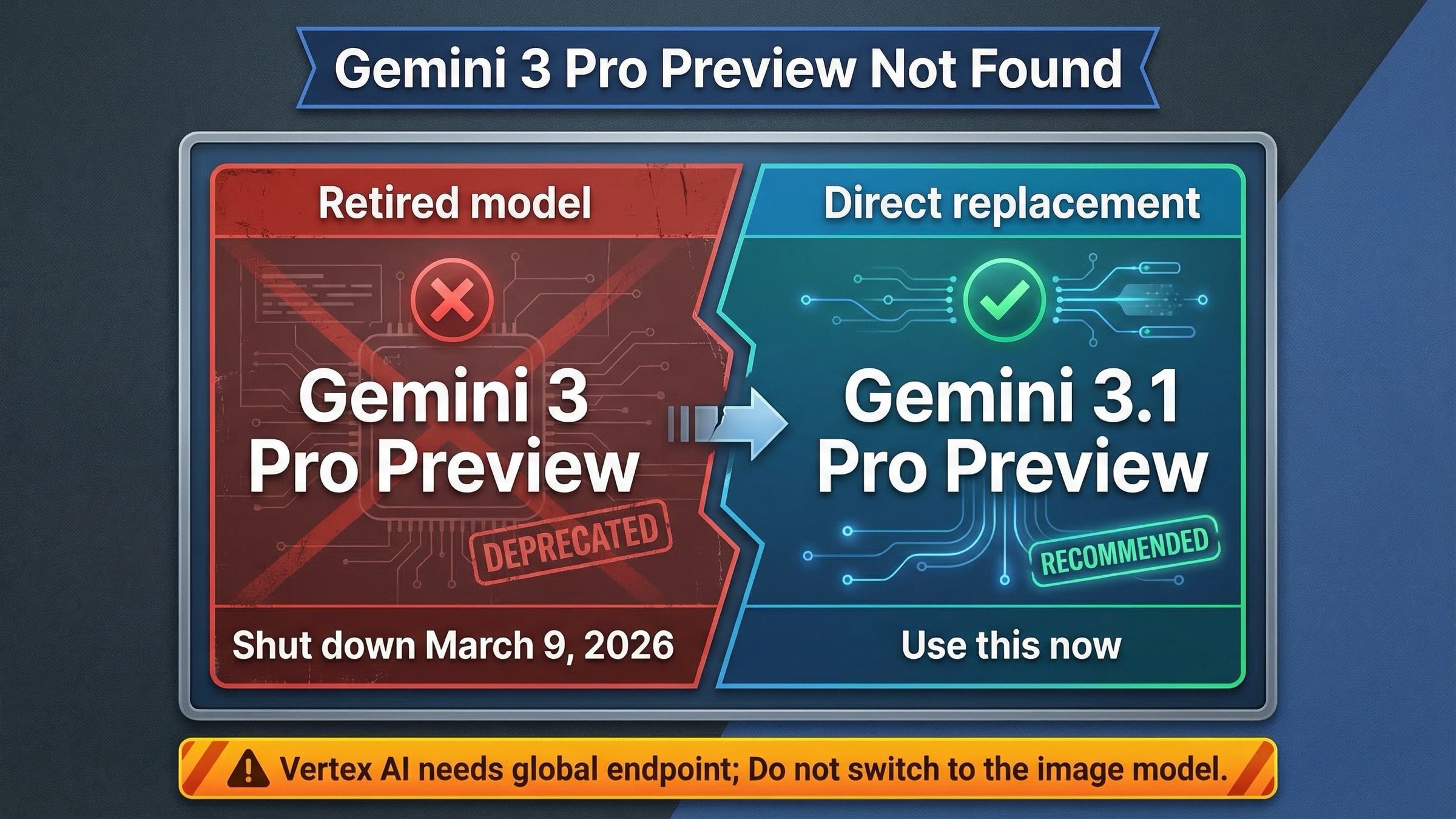
If you are seeing gemini-3-pro-preview not found, the main answer is simple: Google shut down Gemini 3 Pro Preview on March 9, 2026, so the old model ID is no longer a valid default target. The intended replacement is gemini-3.1-pro-preview. If you already changed the model name and still get errors on Vertex AI, the next thing to check is your endpoint location, because Google documents gemini-3.1-pro-preview as global-only on Vertex AI. This is why many developers think the replacement model is also broken when the real issue is incomplete migration.
This article separates three problems that are easy to confuse in one error thread: the retired old model, the active replacement model, and the configuration mistakes that can keep causing failures after the rename. If you skim only one part, skim the quick-fix table and the migration checklist. They solve most real cases faster than reading release notes line by line.
TL;DR — Quick Fix Table
If you only need the working fix, use the table below and keep moving. Most people waste time debugging API keys, permissions, or AI Studio state when the real problem is just that the old Pro Preview line is gone.
| What you see | What it usually means now | Fastest fix |
|---|---|---|
gemini-3-pro-preview not found | You are still calling the retired model ID | Replace it with gemini-3.1-pro-preview |
| AI Studio prompt fails after working before March 2026 | The saved prompt still points to the retired model | Edit the prompt/model picker and select gemini-3.1-pro-preview |
| Vertex AI still fails after renaming the model | You changed the model name but not the location | Set GOOGLE_CLOUD_LOCATION=global |
| Wrapper or SDK still references the old model | Hidden config or env var still pins the retired ID | Search your repo and config files for gemini-3-pro-preview |
| You do not want another preview dependency | You need a steadier Pro fallback | Move to gemini-2.5-pro instead |
You are thinking of using gemini-3-pro-image-preview | That is a different image model, not the text Pro replacement | Do not swap to the image model unless your workflow is actually image generation |
The key point is that this is now a model lifecycle problem first, not a retry problem. Waiting longer will not make the old model come back.
Why gemini-3-pro-preview Is Not Found Now
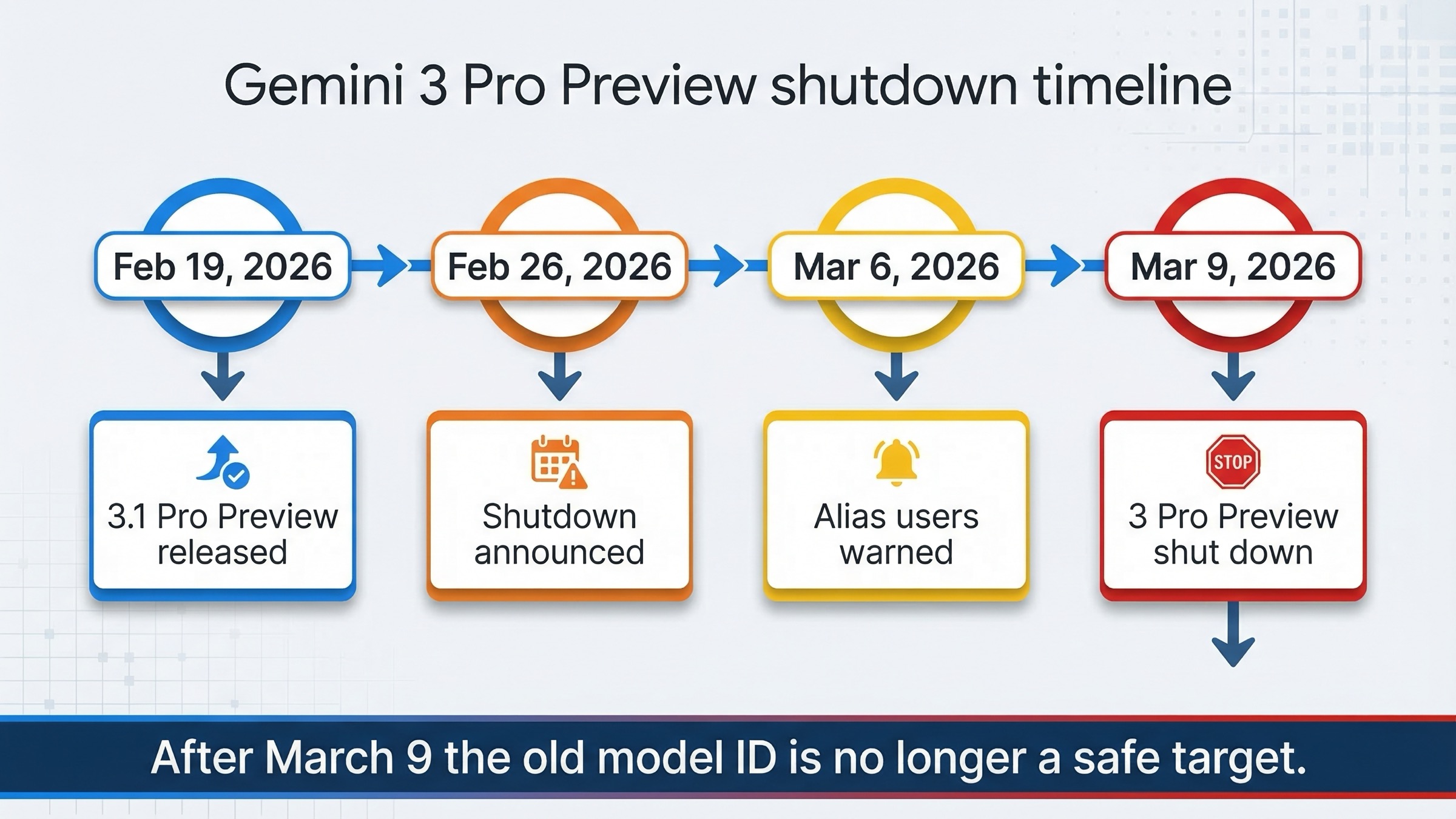
Google's own docs make the timeline explicit, but the answer is scattered across several pages, which is why this query still exists. Here is the practical sequence you need.
| Date | What changed | Why it matters |
|---|---|---|
| February 19, 2026 | Google released gemini-3.1-pro-preview | The successor model became available before the old one shut down |
| February 26, 2026 | Google announced that gemini-3-pro-preview would shut down on March 9, 2026 | This was the formal migration warning |
| March 6, 2026 | Google said -latest Pro alias users would be switched toward Gemini 3.1 Pro Preview in the official forum announcement | Some tools changed behavior before the final shutdown date |
| March 9, 2026 | Google says Gemini 3 Pro Preview was shut down and the old Pro Preview line now points to Gemini 3.1 Pro Preview in the release notes | After this date, the old model ID is no longer a safe target |
The current models page now shows a warning that Gemini 3 Pro Preview was shut down on March 9, 2026 and tells users to migrate to Gemini 3.1 Pro Preview. So if your code still contains the old string, the error is expected behavior, not a temporary outage.
One subtle but important detail: this does not mean your project, API key, or AI Studio history disappeared. In Google's official forum thread, a staff reply says projects, API keys, and saved prompts remain intact, but anything still pointing to gemini-3-pro-preview will return an error after March 9, 2026. That is why this often feels like a broken environment when it is actually a stale model reference.
This distinction matters because the wrong debugging path wastes hours. A lifecycle failure should push you toward renaming the model, checking the replacement docs, and searching for stale references. An authentication failure pushes you toward credentials, billing, or permissions. A server-availability failure pushes you toward retries. The old Pro Preview shutdown moved many readers from the second and third categories into the first one overnight.
The Correct Replacement: gemini-3.1-pro-preview vs gemini-2.5-pro
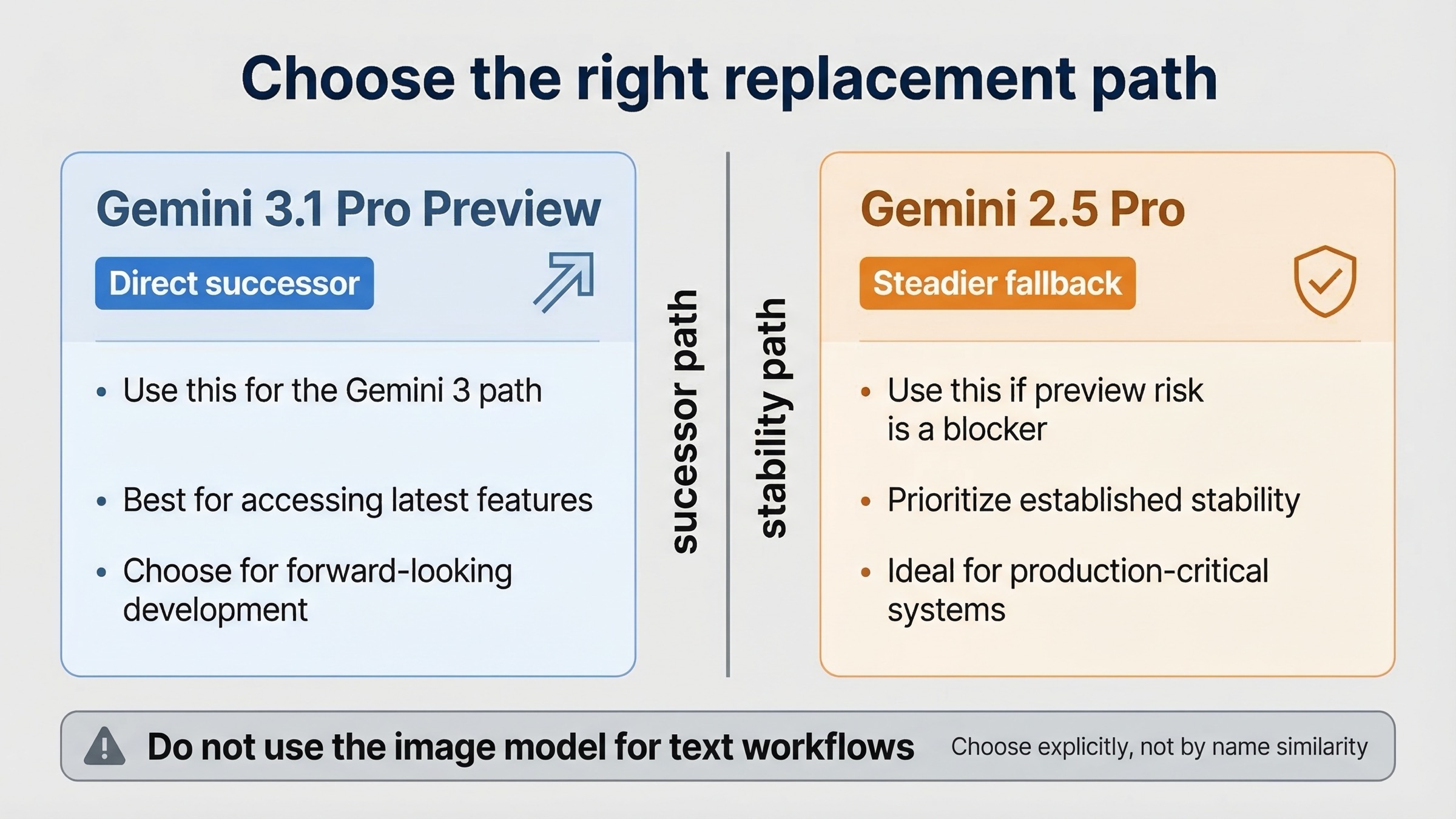
Most articles stop after saying "rename it to 3.1." That is not always enough. Some teams want the intended successor. Others want the safest active Pro model with fewer preview surprises.
| If your goal is... | Use this model | Why |
|---|---|---|
| Stay on the intended Gemini 3 Pro successor path | gemini-3.1-pro-preview | This is Google's recommended replacement for the retired Pro Preview line |
| Keep a Pro-tier model but avoid another preview dependency | gemini-2.5-pro | It is still active and behaves like the steadier non-preview fallback |
| Generate images | gemini-3-pro-image-preview or another image model | This is a separate product family and not a text-model replacement |
For most readers of this keyword, the decision comes down to this:
- Use
gemini-3.1-pro-previewif you specifically wanted the upgraded reasoning-first Gemini 3 path. - Use
gemini-2.5-proif your real priority is stability and you do not want a fresh preview migration immediately after the first one.
If you want the broader comparison, read our Gemini 3.1 Pro vs Gemini 2.5 Pro guide. For this article, the important point is narrower: both are valid current exits from the old model, but only one is the official direct successor.
Do Not Confuse These Similar Model Names
The Gemini naming surface is now crowded enough that many migrations go wrong simply because a team grabs the nearest similar string. That is especially dangerous here because the names look close while the products do very different jobs.
| Model name | What it is | When to use it |
|---|---|---|
gemini-3-pro-preview | Retired old text Pro Preview model | Do not use it anymore |
gemini-3.1-pro-preview | Current preview successor for advanced Pro reasoning tasks | Use this when you want the official replacement |
gemini-2.5-pro | Active Pro-tier fallback | Use this when you want a steadier non-preview option |
gemini-3-pro-image-preview | Gemini image-generation model | Use only for image generation or editing |
The most common naming mistake is jumping from gemini-3-pro-preview to gemini-3-pro-image-preview because both contain "3 Pro". That is the wrong fix for chat, coding, and reasoning workflows. The image model still appears on the models page because it is a separate product line. If your application expects text output and tool use, do not substitute the image model just because it still exists.
The second naming mistake is trusting a wrapper that exposes a generic "latest" or "pro" selector without showing the resolved model string. That can be convenient during launch windows, but it is terrible for controlled migrations. If you are troubleshooting breakage, switch to an explicit model ID before you do anything else. Explicit beats implicit here.
Fix It by Surface: API, AI Studio, Vertex AI, and Wrappers
The correct fix depends on where the old model name is still hiding.
Gemini API or SDK code
This is the simplest case. Replace the model string anywhere it appears in your application code, prompt router, default config, or tests.
# old
model = "gemini-3-pro-preview"

# direct successor
model = "gemini-3.1-pro-preview"

# steadier fallback
model = "gemini-2.5-pro"
Google AI Studio
If an old prompt suddenly fails, the project itself is not the first thing to suspect. The more likely issue is that the saved prompt or selected model still references gemini-3-pro-preview. Open the prompt, inspect the model selection, and switch it to gemini-3.1-pro-preview. Google's official forum reply says projects, keys, and saved prompts remain, but references to the old model return errors after March 9.
If you manage prompts across a team, also assume screenshots, onboarding docs, and internal playbooks are stale. AI Studio migrations tend to fail socially before they fail technically: one developer updates the model picker, another follows a screenshot from February, and the team ends up thinking the platform is inconsistent. When a model is retired, update the human-facing documentation at the same time as the code.
Vertex AI
This is the most common second-order trap. Developers rename the model, run the request again, and still think "not found" means the replacement is down. Google's current Vertex AI Gemini 3 guide says gemini-3.1-pro-preview is available only on global endpoints.
That means your setup should look like this:
export GOOGLE_CLOUD_PROJECT="your-project-id"
export GOOGLE_CLOUD_LOCATION="global"
export GOOGLE_GENAI_USE_VERTEXAI=True
If you leave the location on a regional endpoint, your migration may still fail even though the model name itself is correct.
This is also why mixed Google AI Studio and Vertex AI tutorials create confusion. The model replacement string is the same, but the routing rules are not always mentally grouped the same way by readers. A migration guide that stops at "rename the model" is incomplete for Vertex users.
Third-party wrappers, templates, and hidden defaults
This is where many migrations silently fail. Even after you update the main code path, the old model may still be pinned in:
.envfiles- SDK wrapper defaults
- CI secrets
- AI agent config files
- test fixtures
- stored prompt templates
- internal docs copied into examples
Do a repo-wide search before you conclude the new model is broken.
rg "gemini-3-pro-preview"If the string shows up anywhere, assume it can still be called somewhere.
For production systems, do not stop after a code search. Also inspect:
- deployment-time config generated from templates
- admin panels that store model names in a database
- job queues with older payload schemas
- evaluation harnesses that replay old requests
- agent frameworks that maintain a separate default model list
Retired-model bugs are often "distributed state" bugs. The application code was fixed, but one control plane or scheduled job still emits the old model name.
Migration Checklist for Existing Codebases
If the keyword is hitting a real production workflow and not just a one-file demo, use this order. It minimizes thrash.
| Step | What to check | Why it comes in this order |
|---|---|---|
| 1 | Replace gemini-3-pro-preview with gemini-3.1-pro-preview or gemini-2.5-pro | Remove the retired model first |
| 2 | Search the whole repo and config surface for stale references | One hidden default can keep the error alive |
| 3 | For Vertex AI, set GOOGLE_CLOUD_LOCATION=global | This is the main post-rename failure mode |
| 4 | Re-test with the smallest possible request | Confirms migration before you debug larger workflows |
| 5 | Update AI Studio prompts, screenshots, docs, and runbooks | Prevent the same breakage from re-entering later |
| 6 | Benchmark 3.1 Preview versus 2.5 Pro on your real tasks | Avoid promoting a new preview model blindly |
The small-request test is worth emphasizing. Do not retry the first failing complex production prompt and assume the model migration is still the issue. Send one minimal request after the rename. If the minimal request succeeds, the model is reachable and you can move on to endpoint, prompt, or parameter debugging with much more confidence.
Copy-Paste Migration Examples
These examples show the safe minimal changes. Keep them boring. Migration articles go wrong when they add too much unrelated refactoring.
Copy-Paste Migration Examples
These examples show the safe minimal changes. Keep them boring. Migration articles go wrong when they add too much unrelated refactoring.
Python — Gemini API
from google import genai

client = genai.Client(api_key="YOUR_API_KEY")

response = client.models.generate_content(
    model="gemini-3.1-pro-preview",
    contents="Explain how TLS handshakes work."
)

print(response.text)
If you do not want the new preview line:
from google import genai

client = genai.Client(api_key="YOUR_API_KEY")

response = client.models.generate_content(
    model="gemini-2.5-pro",
    contents="Explain how TLS handshakes work."
)

print(response.text)
Node.js — Gemini API
import { GoogleGenAI } from "@google/genai";

const ai = new GoogleGenAI({ apiKey: process.env.GEMINI_API_KEY });

const response = await ai.models.generateContent({
  model: "gemini-3.1-pro-preview",
  contents: "Explain how TLS handshakes work."
});

console.log(response.text);
Vertex AI — Gemini 3.1 Pro Preview
from google import genai

client = genai.Client()

response = client.models.generate_content(
    model="gemini-3.1-pro-preview",
    contents="Summarize the attached design review."
)

print(response.text)
This only works if your environment is set for Vertex AI with GOOGLE_CLOUD_LOCATION=global.
curl — Direct rename
curl "https://generativelanguage.googleapis.com/v1beta/models/gemini-3.1-pro-preview:generateContent?key=$GEMINI_API_KEY" \
  -H "Content-Type: application/json" \
  -d '{
    "contents": [
      {
        "parts": [
          { "text": "Explain how TLS handshakes work." }
        ]
      }
    ]
  }'
The migration rule is intentionally simple: change the model string first, then retest. Only if the renamed request still fails should you move on to endpoint, API version, or wrapper diagnosis.
Troubleshooting After You Rename the Model
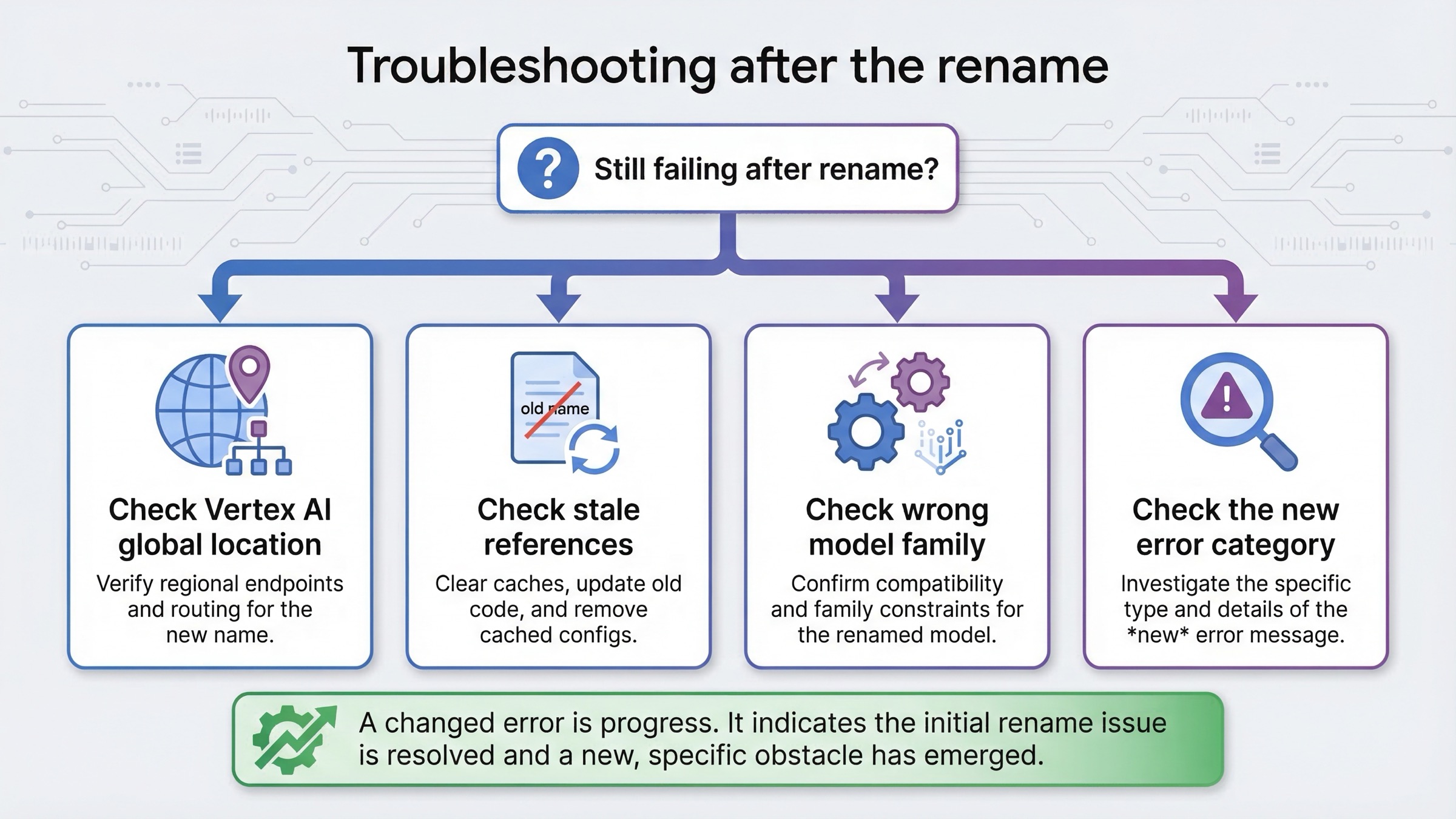
If you replaced the model string and the request still does not work, do not fall back into the old assumption that Gemini 3.1 is "not found" in the same way. At that point, you are probably in a different failure branch.
1. Wrong endpoint or location
This is the highest-probability cause on Vertex AI. Google's current docs say gemini-3.1-pro-preview is global-only there. If you are still set to a regional location, fix that first.
2. Old prompt, template, or hidden config still references the retired model
This is common in tools that let you configure a default model in more than one place. Search your repo, your deployment config, and your stored prompts. One stale default is enough to keep producing the old error.
3. You switched to the wrong model family
Some users try gemini-3-pro-image-preview because the names look similar. That is the image model, not the replacement for the retired text Pro Preview model. If your workload is chat, coding, or reasoning, do not substitute the image model.
4. You are troubleshooting the wrong error category
Once the model name is correct, a later failure may be a different issue entirely:
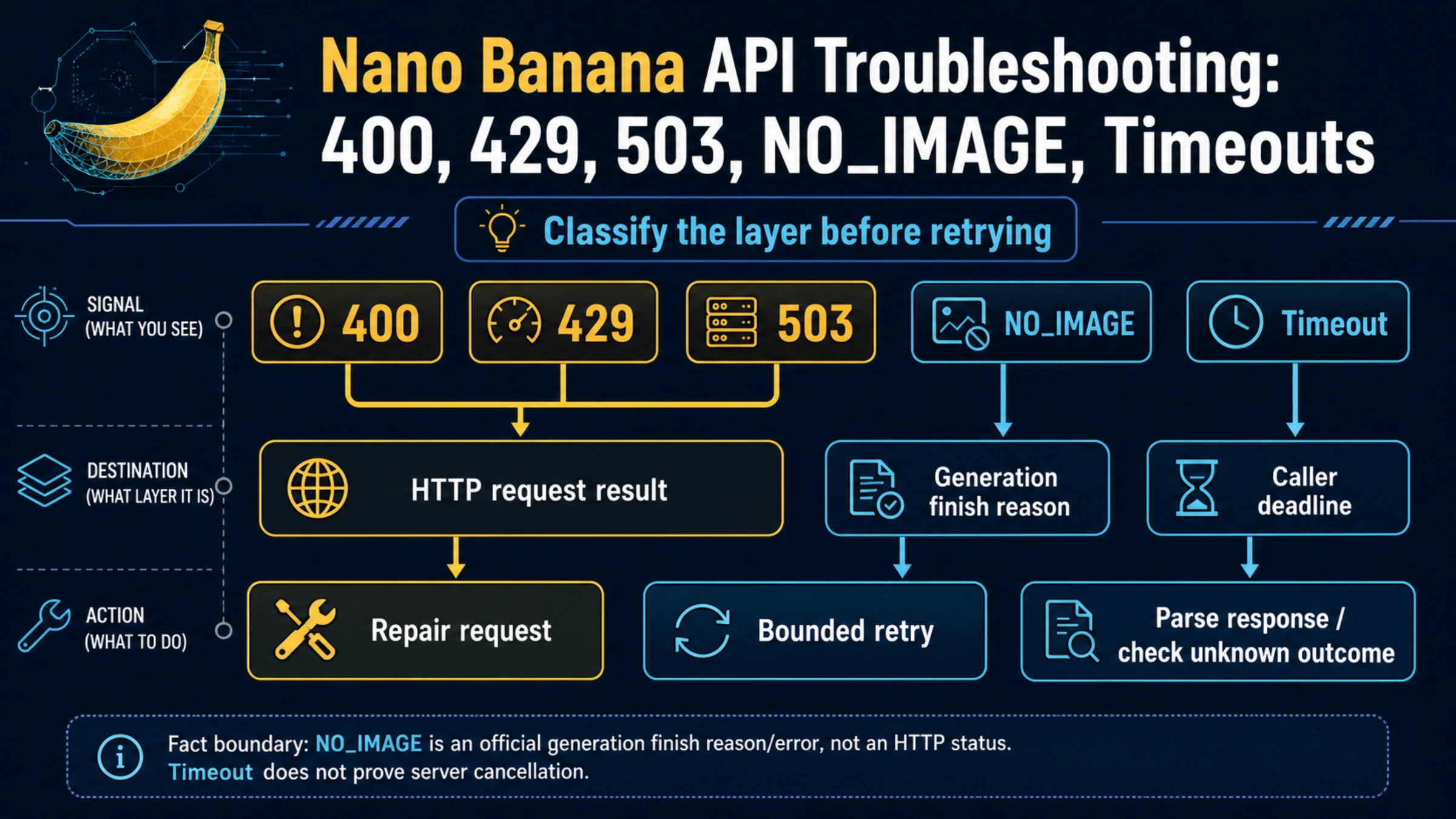
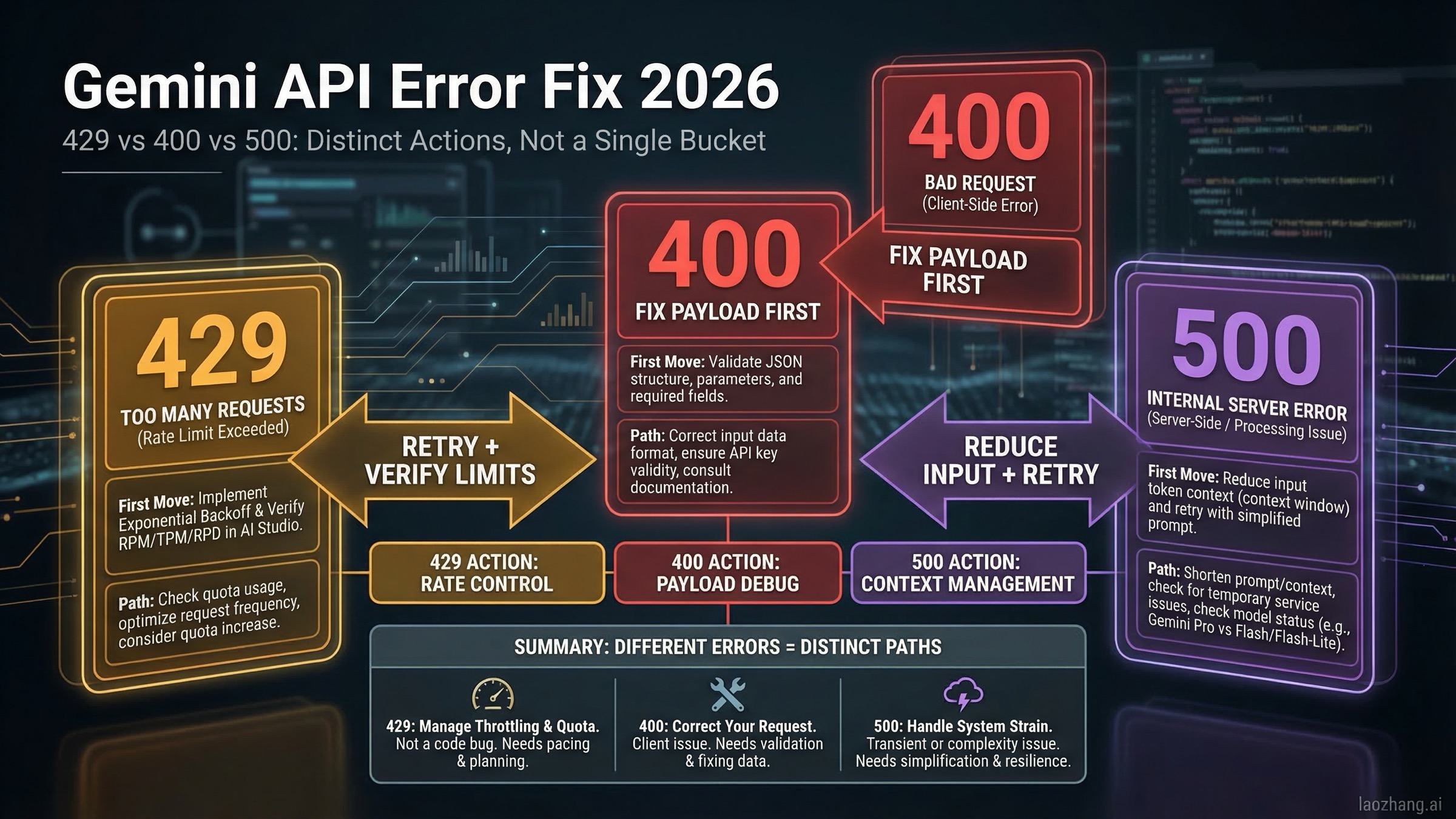
404 NOT_FOUNDcan still mean the request is malformed or the wrong surface is being targeted.400 INVALID_ARGUMENToften means wrong parameters, wrong API version, or a bad request body.503 UNAVAILABLEmeans temporary service overload, not model retirement.
If your error changed categories after renaming the model, that is progress. It means you likely cleared the retirement problem and exposed the next real issue. For broader diagnosis across 400, 403, 404, 429, 500, and 503 errors, see our Gemini API error troubleshooting guide.
Another useful sanity check is to compare the failing request against the official docs rather than against your previous working request. A retired model breaks the assumption that "what used to work should still work after a small rename." Once a lifecycle event happens, the official docs become the new baseline. That is why the models page, deprecations page, and Vertex setup guide matter more than cached examples from earlier in 2026.
Should You Move Straight to 3.1 Pro Preview
If your old workflow depended on Gemini 3 Pro Preview specifically because you wanted the latest Gemini 3 reasoning path, then yes, gemini-3.1-pro-preview is the correct replacement. Google's docs and forum guidance are consistent on that point.
But that does not mean every team should treat it as the only sane choice. If your real goal is simply "keep a Pro-class model working with less churn," then gemini-2.5-pro is the more conservative path. The deprecations table still lists it as active, which makes it a reasonable fallback for teams that are tired of preview lifecycle surprises.
That is the practical decision model:
- Need the intended newest Pro successor: use
gemini-3.1-pro-preview. - Need a steadier active Pro model: use
gemini-2.5-pro. - Need image generation: choose an image model intentionally, not by name confusion.
If your migration to 3.1 later runs into slow responses or overload symptoms, our Gemini 3.1 Pro timeout fix guide covers the next troubleshooting layer.
FAQ — Common Questions About gemini-3-pro-preview Not Found
Did Google remove Gemini 3 Pro Preview completely?
Yes. Google's official deprecations page says gemini-3-pro-preview was shut down on March 9, 2026.
Is gemini-3.1-pro-preview the official replacement?
Yes. Google's deprecations table and release notes both point to gemini-3.1-pro-preview as the replacement.
Did AI Studio delete my projects or saved prompts?
No. In the official forum thread, Google staff said projects, API keys, and saved prompts remain. The failure happens when those prompts still reference the retired model.
Why does Vertex AI still fail after I changed the model name?
The most likely reason is location configuration. Google's Vertex AI docs currently say gemini-3.1-pro-preview is available only on global endpoints.
Should I switch to gemini-3-pro-image-preview instead?
No, not unless you are doing image generation. That is a different model family.
What if I do not want another preview model in production?
Use gemini-2.5-pro as the safer active fallback. It is not the direct successor, but it is the more conservative migration path.
Bottom Line
gemini-3-pro-preview not found is usually not a mystery anymore. As of March 9, 2026, the old model was shut down, so the fix is to stop calling it. Replace it with gemini-3.1-pro-preview if you want Google's intended successor, or move to gemini-2.5-pro if you want a steadier Pro fallback. If the renamed request still fails on Vertex AI, check GOOGLE_CLOUD_LOCATION=global before you debug anything else.