
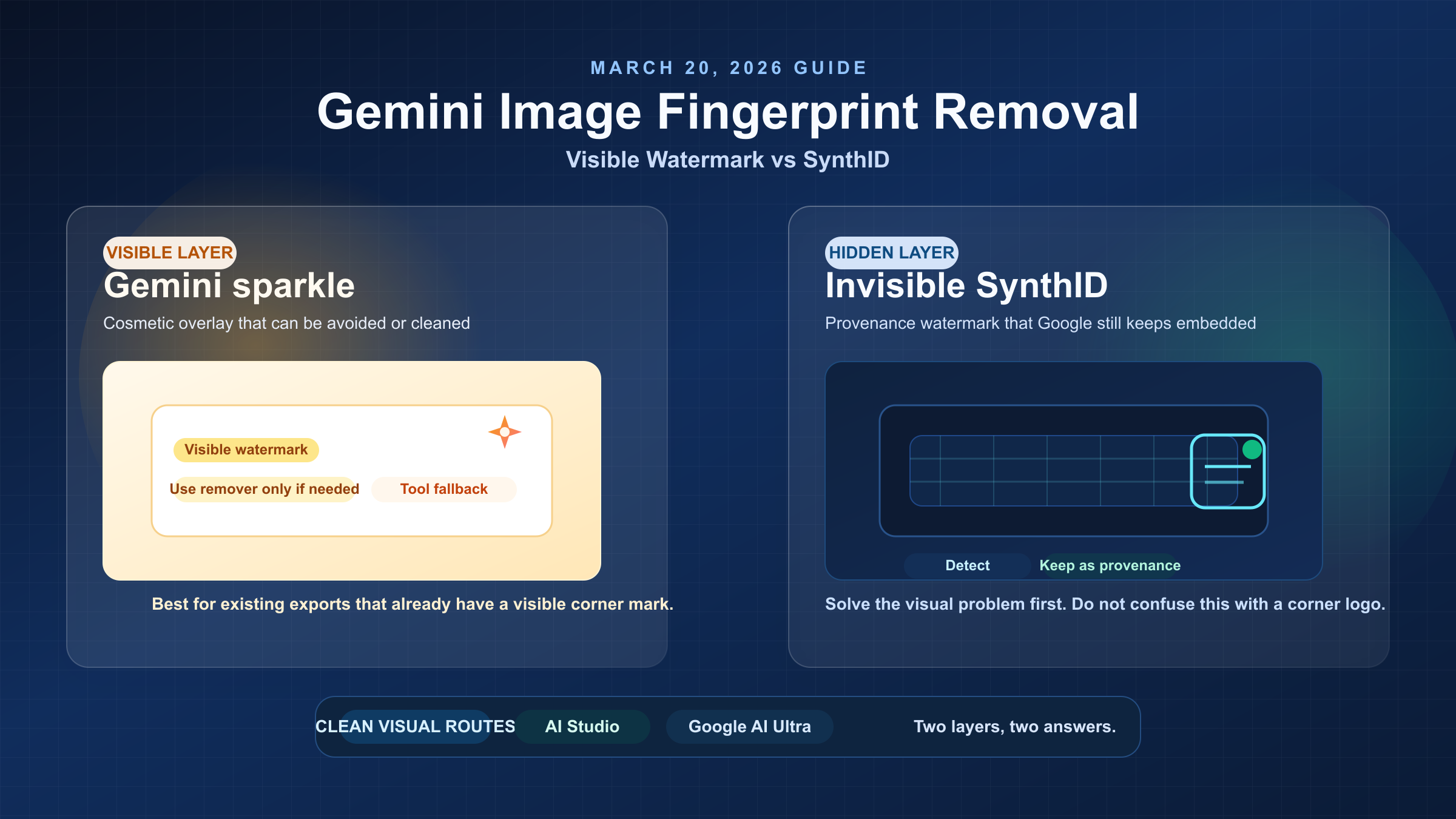
If you search for "Gemini image fingerprint removal," you are usually talking about one of two very different things: the visible Gemini sparkle watermark that appears on some consumer-facing outputs, or the invisible SynthID watermark that Google embeds for provenance. As of March 20, 2026, the clean official answer is straightforward: Google removes the visible watermark for Google AI Ultra subscribers and in Google AI Studio, but Google still embeds SynthID across its generated media for transparency. So if your real goal is a clean-looking image, the best answer is often to regenerate through the right channel, not to keep chasing invisible "fingerprint" removal.
Key takeaways:
- The visible Gemini sparkle watermark and the invisible SynthID watermark are different problems.
- Google currently removes only the visible watermark in Google AI Studio and for Google AI Ultra users.
- If you already have an exported image, a visible-watermark remover can be acceptable as a fallback.
- If you mean SynthID by "fingerprint," think provenance and detection, not a simple cosmetic patch.
TL;DR
If you only need to get rid of the visible Gemini sparkle watermark on an image you already have, a visible-watermark remover can be good enough for low-risk work. If you need the best-quality official output, regenerate the image through Google AI Studio or, on the consumer side, Google AI Ultra. If by "fingerprint" you mean SynthID, there is no comparable clean official off switch in the Gemini app today. Google is still expanding detection and verification tooling around SynthID rather than offering a normal user-facing removal workflow.
Use this table as the short version:
| Situation | What you are actually seeing | Best move now | Why |
|---|---|---|---|
| Free or Pro Gemini image with a visible sparkle mark | Visible watermark overlay | Regenerate in AI Studio or Ultra if possible; otherwise use a visible-watermark remover | Best tradeoff between quality and time |
| Already-generated client image, no time to remake it | Visible overlay only | Use a remover tool cautiously | Fastest cosmetic fix, but quality varies |
| You need a clean official canvas for design, marketing, or product work | Visible watermark concern | Use Google AI Studio or Google AI Ultra | This is Google's current official clean-output path |
| You are worried about the invisible "fingerprint" | SynthID provenance watermark | Treat it as a provenance layer, not a corner logo | Current Google behavior keeps it embedded |
| You planned to edit the image inside Gemini to clear the fingerprint | Still SynthID | Do not rely on in-app editing as a removal method | Google says native image creation and editing in Gemini still include SynthID |
What "Gemini Image Fingerprint" Actually Means
The biggest reason current page one is confusing is that "fingerprint" is not a precise product term. In practice, readers use it to mean one of these:
- the visible Gemini sparkle watermark that you can see on the image
- the invisible SynthID watermark that Google uses to identify AI-generated content
Those are not interchangeable. The visible watermark is a presentation-layer mark. The invisible one is a provenance system.
Google's own current wording makes that split clear. In its February 18, 2026 Nano Banana Pro announcement, Google says all media generated by its tools are embedded with the imperceptible SynthID watermark. In the same post, Google also says it will keep the visible Gemini sparkle on images generated by free-tier and Google AI Pro users, while removing the visible mark for Google AI Ultra users and in Google AI Studio to provide a clean visual canvas for professional work.
That single policy statement answers most of the query better than the average remover landing page does:
- visible watermark: sometimes present, officially removable by changing the generation surface
- SynthID: still present, even when the visible mark is gone
That is why a lot of remover-tool marketing feels incomplete. Many tools are solving a real problem, but they are solving only the visible problem.
If you want the technical background behind that provenance layer, our deeper guides on what SynthID is and why AI images carry SynthID watermarks break down the system in more detail.
What You Can Remove Cleanly, What You Cannot, and the Best Route Instead
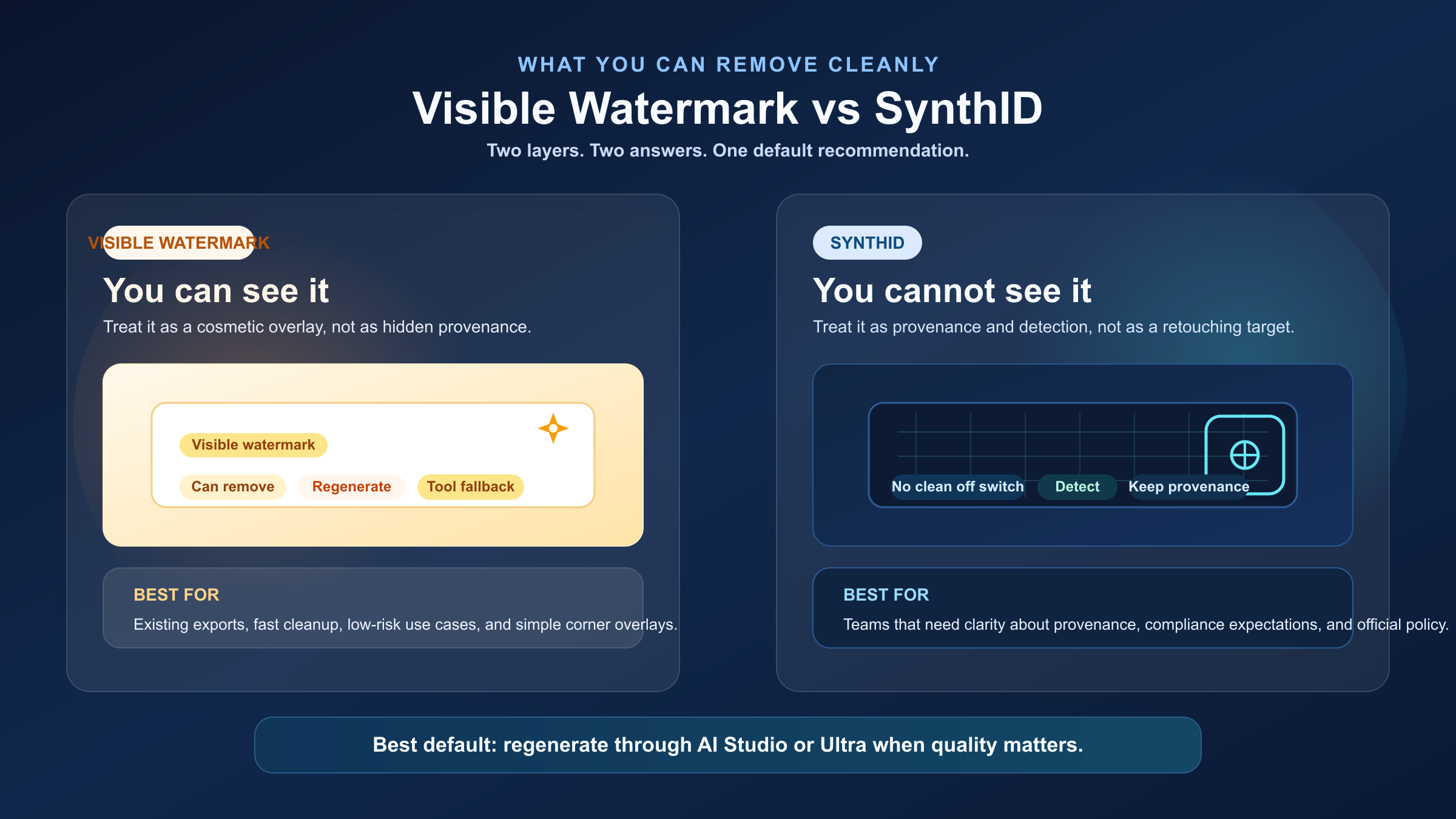
For most readers, the real decision is not moral or philosophical. It is operational: where do I spend the next ten minutes?
The highest-value distinction is this:
A visible Gemini sparkle watermark is a cleanup problem. SynthID is a provenance problem.
The cleanup problem has several workable paths. The provenance problem does not currently have a normal, official, quality-preserving consumer solution.
Here is the practical comparison:
| Layer | Can you see it? | Can you usually remove it cleanly? | Best option |
|---|---|---|---|
| Gemini sparkle watermark | Yes | Often yes, either by regenerating through the right official route or by post-processing | Prefer AI Studio or Ultra; use a remover only if you cannot regenerate |
| SynthID watermark | No | Not in a clean, officially supported way | Accept it, or change your workflow expectations |
| Gemini-edited image | Sometimes visible, still includes SynthID | Visible mark depends on surface; SynthID remains | Do not assume editing inside Gemini removes provenance |
This is where current SERPs waste reader time. They often jump straight from "there is a watermark" to "here is a remover." That skips the question that actually protects quality:
Do you still have the prompt or setup needed to regenerate the image?
If the answer is yes, regeneration is usually the better path. It avoids corner artifacts, avoids inconsistencies in textured areas, and aligns with Google's current official policy for professional output. If the answer is no, and the image already exists in a client deck or campaign draft, a visible-watermark remover becomes easier to justify because the job is cosmetic rather than architectural.
The Clean Official Routes in 2026: Google AI Studio and Google AI Ultra
The strongest current answer is not hidden in a forum thread or a Chrome extension. Google already states the clean-output rule itself.
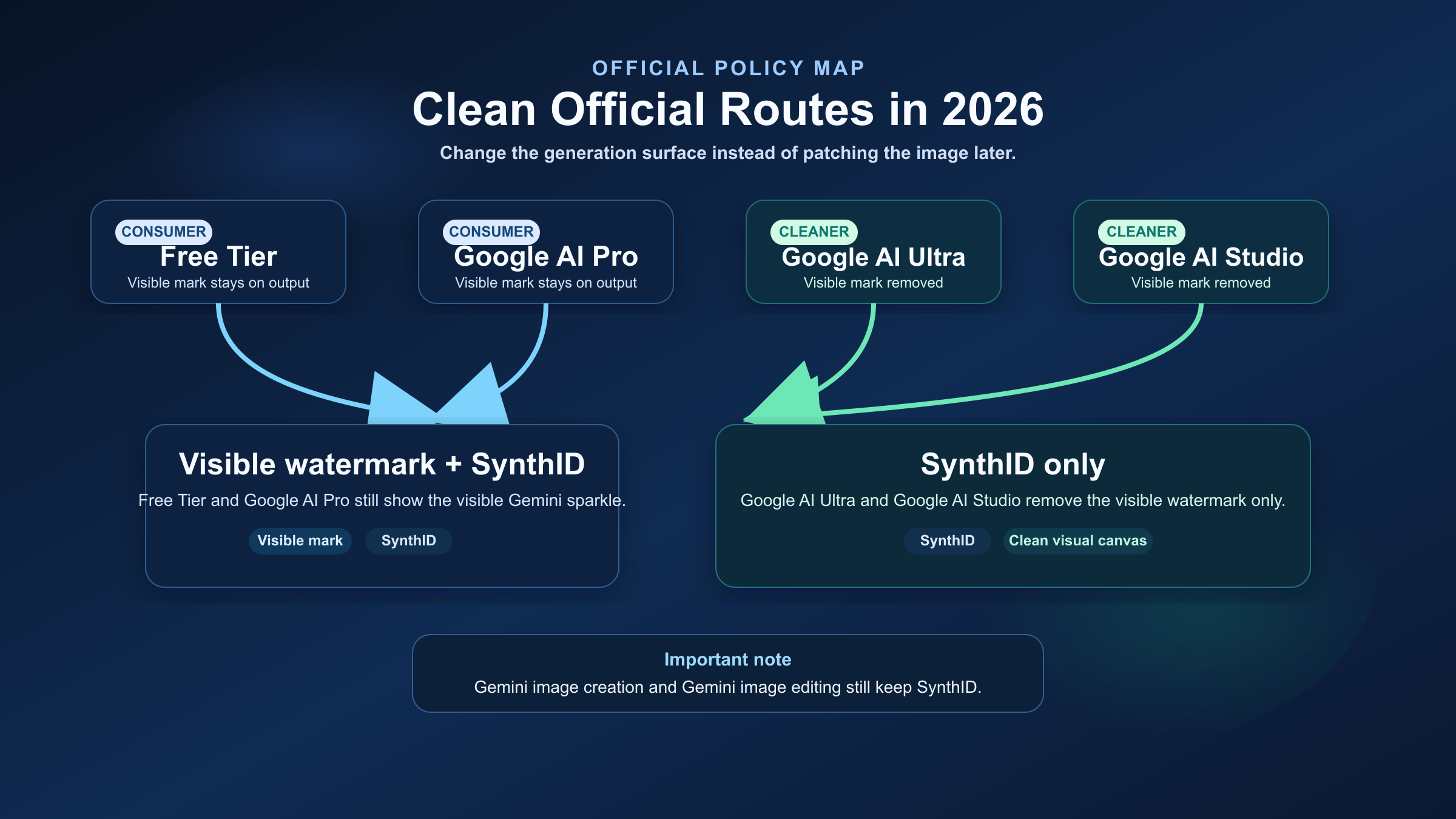
In the February 18, 2026 Nano Banana Pro launch post, Google says:
- free-tier and Google AI Pro images keep the visible Gemini sparkle
- Google AI Ultra removes the visible watermark
- Google AI Studio also removes the visible watermark for professional work
That matters because it reframes the problem from "how do I erase this?" to "am I using the wrong generation channel?"
When AI Studio is the best answer
Google AI Studio is the cleanest answer for developers, prompt-heavy users, and anyone who still controls the generation workflow. If you can re-run the image from the source prompt, AI Studio is usually better than cleanup because:
- the output starts clean instead of being patched afterward
- text, edges, gradients, and texture transitions stay intact
- you are using the route Google explicitly describes as its clean visual canvas for professional work
That is also the best answer for internal design workflows, product mockups, and content production systems where consistency matters more than squeezing out one more existing export.
When Google AI Ultra is the best answer
If you work mainly in the consumer Gemini surface and need clean visual exports without switching into a developer workflow, Google AI Ultra is the more direct answer. It is essentially the consumer-side version of the same policy: visible watermark removed, SynthID still retained.
What this does not change
It does not remove SynthID. That point is where many readers still get tripped up.
Google's April 30, 2025 post about editing images directly in the Gemini app says that images created or edited with native image generation in Gemini include the invisible SynthID watermark. So even if you are editing, expanding, or reworking an image inside Gemini, you should not assume you are clearing the provenance layer. Editing may change the visible outcome. It does not convert the image into a non-SynthID asset.
For teams that only need a clean-looking export, that is usually fine. For teams that hoped to erase every sign of AI generation, it is the wrong expectation.
When Visible-Watermark Remover Tools Are Acceptable
Current page one ranks remover tools for a reason: they solve a real and common job. If you already have a finished image, do not have a stable way to regenerate it, and only care about the visible watermark, a remover can be the most time-efficient answer.
That is the right framing. Not "this makes the image provenance-free." Just "this can be an acceptable cosmetic cleanup when regeneration is not practical."
The better current tool pages are also more honest than people assume. For example, GeminiWatermark.ai explicitly distinguishes between the visible watermark and invisible SynthID instead of pretending to remove both. That is a good sign. It means even the competitive tool pages increasingly understand that the visible problem and the provenance problem are different.
Still, the tradeoffs are real:
- corner textures can smear or reconstruct poorly
- typography near the watermark area can degrade
- complex product shots often show more artifacts than flat backgrounds
- a tool workflow can break when Google changes how the visible mark is rendered
That last point shows up in current community discussion too. In a recent r/GeminiAI thread, users reported that previously reliable watermark removers stopped working after Gemini changed the visible watermark behavior. That is not proof that all removers are bad. It is proof that post-processing is more brittle than official clean-output generation.
So the practical rule is:
- Use a remover when the image already exists and the visible mark is the only blocker.
- Regenerate instead when quality, consistency, or repeatability matter.
If your use case includes commercial output, client delivery, or branded campaigns, that distinction matters even more. Our guide to Nano Banana Pro watermark and commercial use covers the rights side in more detail.
Why SynthID Is a Different Problem From a Visible Watermark
If your real concern is the invisible fingerprint, you need a different mental model.
In its October 17, 2023 post on identifying AI-generated images with SynthID, Google DeepMind explains that SynthID is embedded directly into image pixels. Google says it is designed to remain detectable after common edits such as filters, color and brightness changes, and lossy compression. That is precisely why you should not treat it like a corner logo that can simply be cropped or brushed away.
This matters for two reasons.
First, it explains why many "remove SynthID" claims sound stronger than they really are. Avoiding visible artifacts in a small corner patch is not the same as confidently removing a distributed provenance pattern. Those are different technical jobs.
Second, it explains Google's product direction. Google is investing more in detection than in user-facing removal. On May 20, 2025, Google announced SynthID Detector, a portal that scans uploaded content for SynthID and can highlight the parts most likely to be watermarked. That launch started with early testers and a waitlist, which tells you the company is still building out the verification ecosystem rather than backing away from it.
For most normal business workflows, that should change the question you ask. Instead of:
"How do I remove every sign that Gemini touched this image?"
the better question is:
"Do I actually need a clean visual export, or do I mistakenly think provenance itself ruins the asset?"
Usually, the visible mark affects aesthetics. SynthID does not. That is why the highest-value decision is often to solve the visual problem cleanly and stop over-optimizing around the invisible one.
Best Recommendation by Use Case
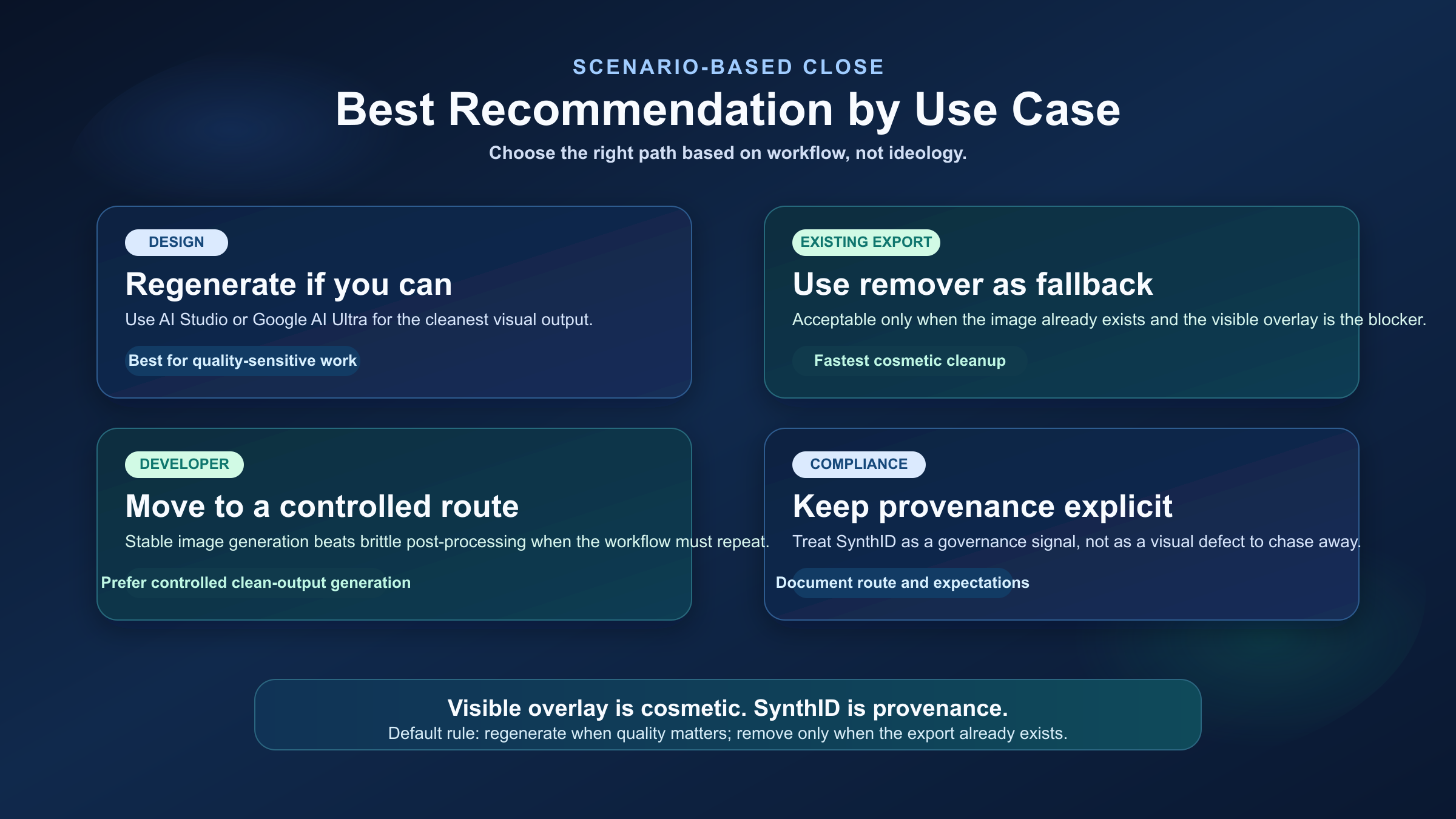
Different readers should make different choices here. The right answer depends less on ideology and more on workflow constraints.
| Use case | Recommended path | Why this is the right move |
|---|---|---|
| Designer or marketer who can still regenerate the image | Regenerate in Google AI Studio or Google AI Ultra | Best quality and cleanest official route |
| Creator with an existing export and a visible corner mark | Use a visible-watermark remover | Fastest cosmetic fix when regeneration is not practical |
| Developer building a repeatable image workflow | Move generation to AI Studio or another controlled clean-output surface | More stable than post-processing removers |
| Team worried about compliance or provenance | Keep SynthID expectations explicit and document the generation route | Provenance is a governance question, not just a retouching problem |
| Reader hoping to "edit away" the fingerprint inside Gemini | Do not rely on that workflow | Google still says native Gemini image generation and editing include SynthID |
If you want one sentence to keep: remove the visible overlay if you must, regenerate through the clean official route when you can, and do not confuse SynthID with a cosmetic corner watermark.
FAQ
Can Gemini watermark remover tools remove SynthID too?
Not reliably enough to treat that as the normal answer. Some tool pages already limit their promise to the visible watermark only, and current community threads show skepticism when tools claim otherwise.
Does Google AI Studio remove SynthID?
No. Google's current official distinction is about the visible watermark. The clean-canvas promise applies to the visible Gemini sparkle, not to the underlying SynthID provenance watermark.
If I edit the image inside Gemini, will the fingerprint disappear?
No. Google's April 30, 2025 Gemini image-editing announcement says images created or edited with native image generation in Gemini include the invisible SynthID watermark.
Should I care about SynthID for normal commercial work?
Usually less than you think. The visible watermark can affect presentation. SynthID mainly affects provenance and verification. If your workflow only needs a clean-looking deliverable, the visible mark is the part that usually matters operationally.
What is the safest default recommendation?
If you can still regenerate the image, use Google AI Studio or Google AI Ultra. If you cannot, treat a visible-watermark remover as a fallback for the visible overlay only.
Conclusion
The query "Gemini image fingerprint removal" sounds like one job, but it is really two. The visible Gemini watermark is a surface-level problem with several workable fixes. The invisible SynthID watermark is an intentional provenance layer that Google still keeps in place while expanding detection and verification tooling.
That is why the best answer in 2026 is not "use the most aggressive remover you can find." It is:
- regenerate through Google AI Studio or Google AI Ultra when quality matters
- use a remover only when you already have the image and only the visible overlay is blocking you
- stop treating SynthID as if it were just another corner logo
That framework is more useful than most page-one remover pages because it helps you decide what problem you actually have before you try to solve it.