
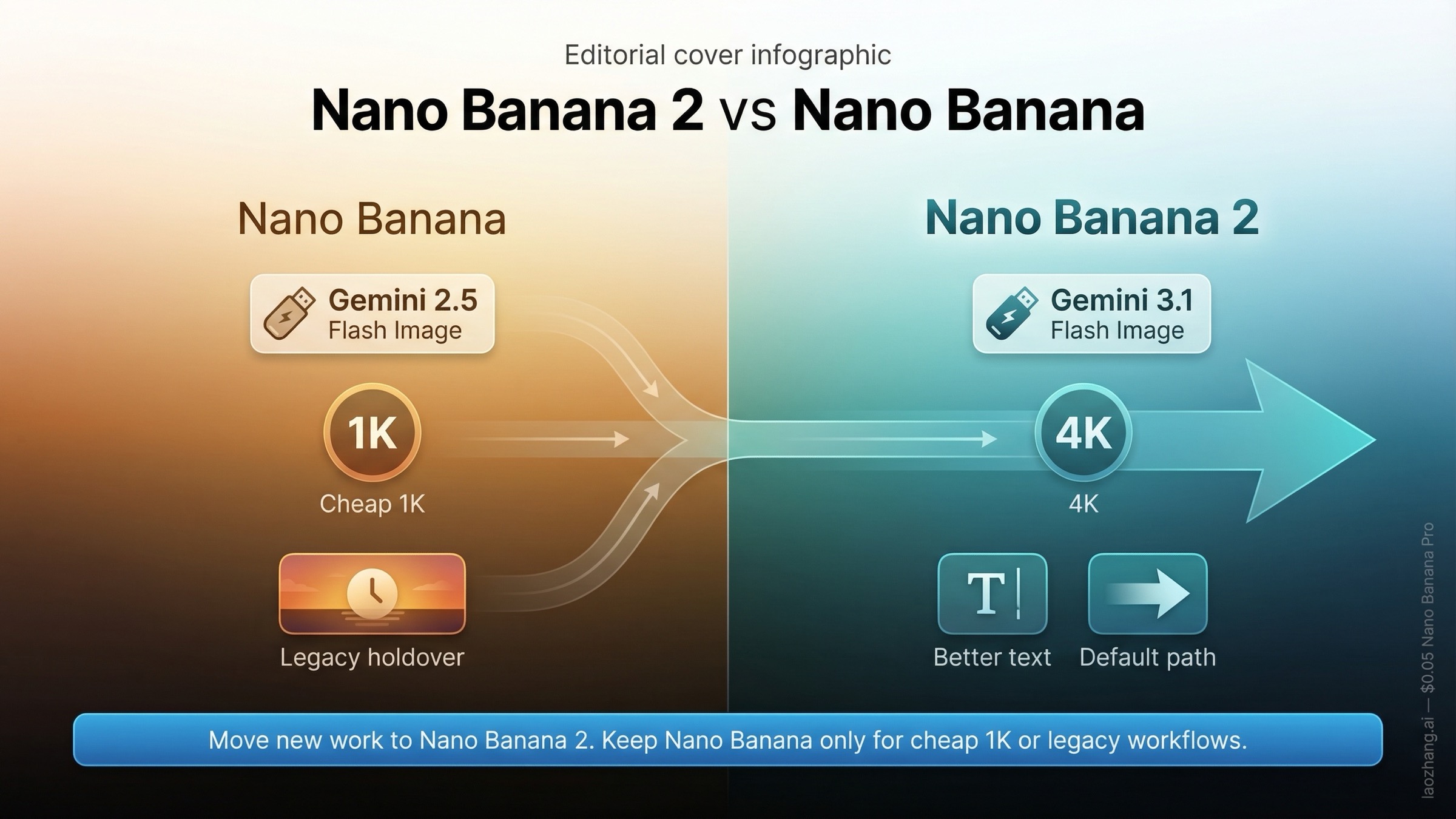
Nano Banana 2 is the newer model, and for most people it is the right default now. In Google's current naming, Nano Banana 2 maps to gemini-3.1-flash-image-preview, released on February 26, 2026, while Nano Banana maps to the older gemini-2.5-flash-image, which is still listed in the Gemini API with an earliest shutdown date of October 2, 2026, according to Google's deprecations table checked on March 20, 2026. The practical takeaway is simple: switch to Nano Banana 2 if you want Google's current image path, better text handling, and higher-resolution options. Keep Nano Banana only if you specifically want the cheaper 1K-only model or you are maintaining an older workflow that already depends on it.
That distinction matters because the current SERP makes this keyword look simpler than it is. Many pages treat it like a generic "newer is better" showdown. Real users are dealing with a messier question: the Gemini app now foregrounds Nano Banana 2, the old name still appears across older articles and prompts, and the API naming is different from the nicknames people remember. If you are trying to decide what to use today, the real job is not comparing abstract benchmark scores. It is understanding status, access, cost, and migration risk.
Nano Banana 2 vs Nano Banana in one table
| Category | Nano Banana 2 | Nano Banana |
|---|---|---|
| Official model ID | gemini-3.1-flash-image-preview | gemini-2.5-flash-image |
| Public release date | February 26, 2026 | October 2, 2025 |
| Current status | Live preview model, no shutdown date announced | Live stable model, earliest shutdown date October 2, 2026 |
| Google's replacement guidance | Current path | Google lists Nano Banana 2 as the recommended replacement |
| Resolution options | 0.5K, 1K, 2K, 4K | Up to 1024x1024 |
| Paid pricing | $0.045 per 0.5K, $0.067 per 1K, $0.101 per 2K, $0.151 per 4K | $0.039 per image at up to 1024x1024 |
| Batch pricing | $0.022 per 0.5K, $0.034 per 1K, $0.050 per 2K, $0.076 per 4K | $0.0195 per image at up to 1024x1024 |
| Best fit | Most new work, better text, broader output ladder, current default direction | Cheapest 1K generation, legacy workflows, cautious holdover use |
The table gives the fast answer, but the split only really makes sense once you understand why Google has both models on the board at the same time. This is not a case where one model vanished overnight and the other took over cleanly. It is a staged transition: the new model is clearly the strategic direction, while the old one still exists long enough to avoid breaking every app and integration that adopted the original Nano Banana naming.
TL;DR
- Use Nano Banana 2 for most new work because it is Google's current image path, supports 0.5K through 4K output, and is the model Google is actively centering.
- Keep Nano Banana only if you specifically want the cheapest 1K images or need a short-term holdover for an older workflow.
- Do not confuse app visibility with API shutdown: the old model still exists in the Gemini API lifecycle, but Google already lists Nano Banana 2 as its replacement.
What actually changed from Nano Banana to Nano Banana 2
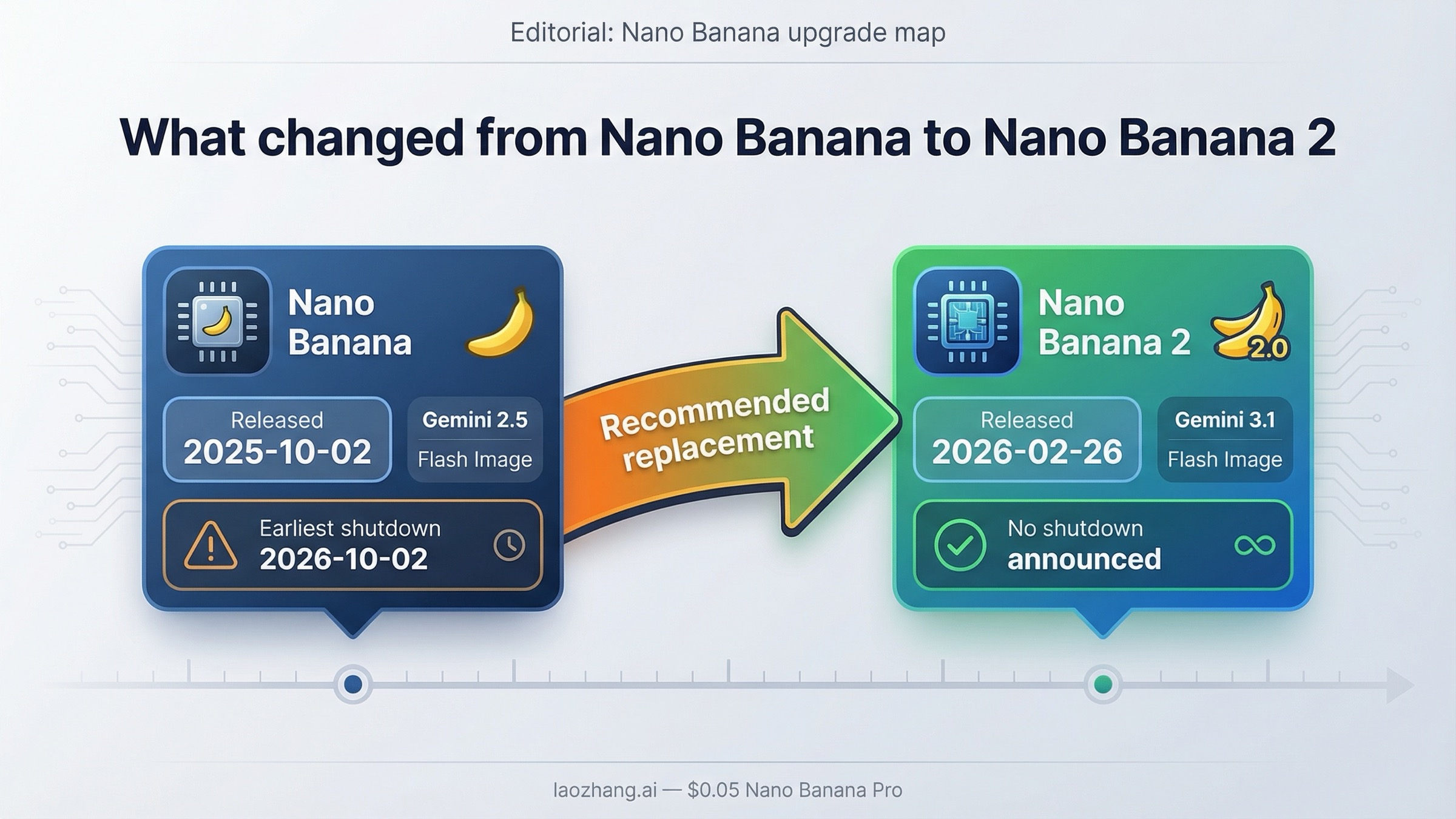
The biggest change is not cosmetic naming. Nano Banana 2 sits on a different part of Google's model stack. The older Nano Banana is the Gemini 2.5 Flash Image model. Nano Banana 2 is Gemini 3.1 Flash Image. That is why the newer model is not just "the same thing, but patched." Google is treating it as the current generation image path for the Flash family, with a broader resolution ladder and stronger positioning on production use.
Google's own current model pages make that split unusually clear once you ignore the nickname noise. The live Gemini models page lists Nano Banana 2 under the Gemini 3 family and Nano Banana under Gemini 2.5 Flash. The deprecations table then does the second half of the work: it shows Nano Banana 2 with a February 26, 2026 release date and no shutdown date announced, while the older Nano Banana stays live with an earliest shutdown date of October 2, 2026 and a recommended replacement of gemini-3.1-flash-image-preview. That combination tells you how Google sees the lineup. Nano Banana 2 is the forward path. Nano Banana is the carryover path.
That is also why this article should not overpromise a clean "v2 is better at everything" story. There are really three separate changes happening at once:
- Google is changing the underlying model family from 2.5 Flash Image to 3.1 Flash Image.
- Google is changing the default user experience in its consumer surfaces so the new image flow points readers toward Nano Banana 2.
- Google is leaving the older API model alive long enough that developers still have a real choice in the short term.
Most first-page explainers only cover the first or second point. Readers actually need all three.
There is another wrinkle worth saying out loud: "better" depends on whether you mean official direction, image capability, or workflow economics. Google's product pages and DeepMind performance pages clearly position Nano Banana 2 as the stronger modern image model. But that does not automatically erase the old model's one real advantage: at 1K, it is still cheaper. If you only need fast, disposable 1024x1024 output and your prompts already behave the way you want, the migration is not mandatory on day one.
Why Nano Banana 2 is the better default now
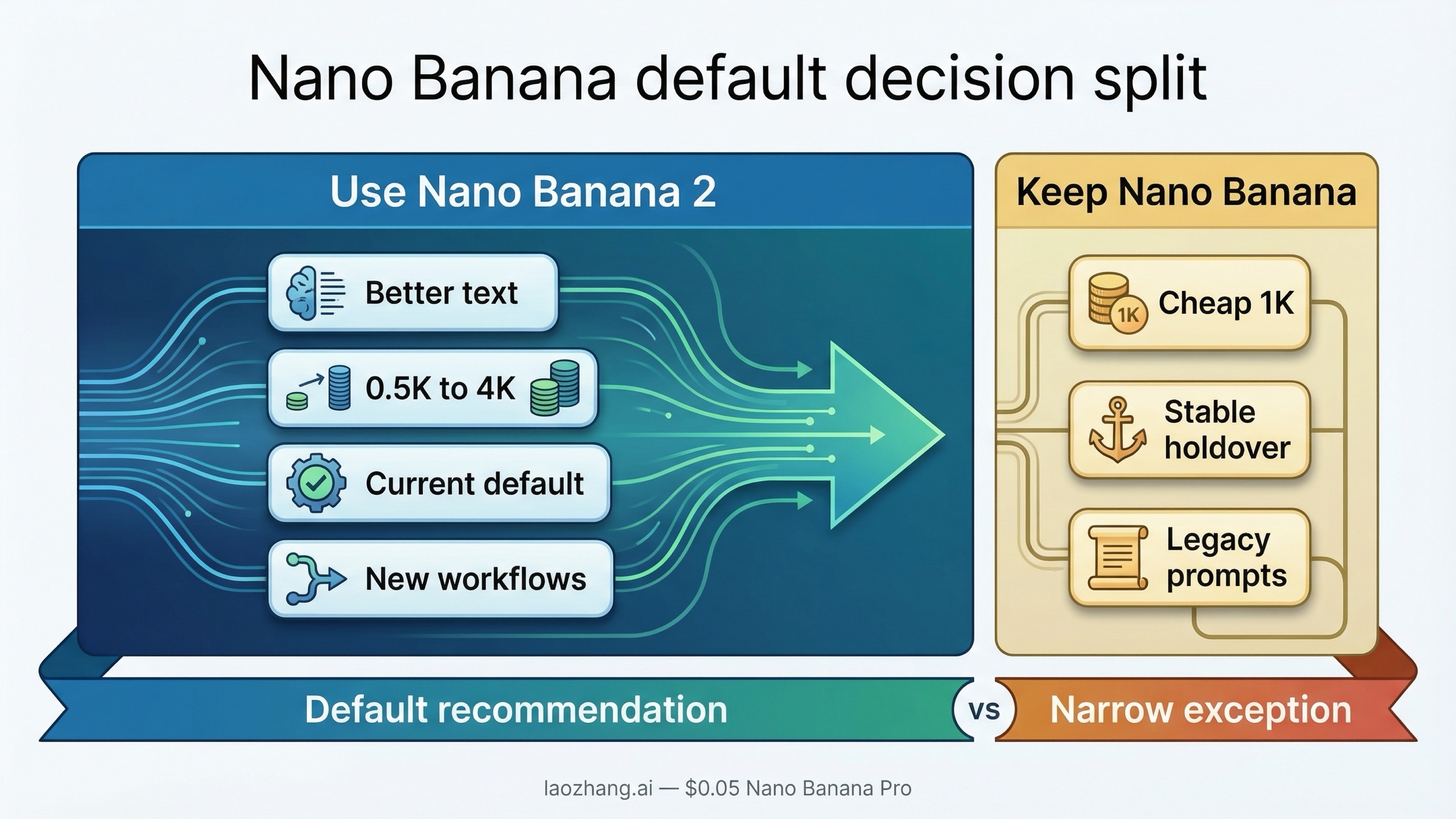
For most new work, Nano Banana 2 is the model you should start with. The core reason is not that it has a shinier name. It is that Google is putting its current product momentum behind it, and the feature envelope is simply broader.
The most concrete advantage is output flexibility. Nano Banana 2 gives you a proper range from 0.5K through 4K. That alone changes how usable it is across different workflows. If you are generating small thumbnails, social cards, quick mockups, slide art, or preview assets, the 0.5K tier lowers cost without forcing you onto a different model. If you want larger deliverables, you can move up the ladder without changing the model ID. The older Nano Banana does not give you that same range; the official pricing page keeps it anchored to 1024x1024 output.
The second advantage is that Google is openly presenting Nano Banana 2 as the current image-generation experience. The current Gemini image-generation overview centers Nano Banana 2, and the consumer flow it describes is built around the new image surface rather than the old Nano Banana identity. Even if you mostly work in AI Studio or the API, that matters. Product momentum affects documentation, examples, defaults, and how quickly bugs or improvements get attention.
The third advantage is quality direction, especially around text and more demanding prompts. It is important to stay disciplined here: the strongest public benchmark language comes from Google's own DeepMind pages, so you should read it as official positioning rather than neutral third-party proof. But even with that caveat, the direction is clear. Google's Nano Banana 2 model page frames Gemini 3.1 Flash Image as state-of-the-art for image generation and editing, and its visual benchmark summaries place it ahead of older Gemini 2.5 Flash Image variants. That lines up with the way the rollout is being described in press coverage too: better text, better prompt adherence, more production-ready output.
In practice, that means Nano Banana 2 is the safer default if any of these are true:
- you are building a new workflow instead of preserving an old one
- you care about text inside images
- you want one model that can cover lightweight 0.5K work and higher-resolution output
- you want to stay aligned with Google's current product direction
- you are comparing options for a team that will ask, sooner or later, "why are we still using the old one?"
There is also a softer but still important reason to start with Nano Banana 2: documentation drift. A lot of older tutorials, prompt examples, and blog posts still say "Nano Banana" as if that is the permanent name of Google's image model. In 2026, that is no longer the cleanest mental model. The clearer way to think about it is this: Nano Banana is the older Gemini 2.5 Flash Image path; Nano Banana 2 is the newer Gemini 3.1 Flash Image path. If you anchor your workflow that way now, future migration work gets easier.
If your next decision is really "Nano Banana 2 versus the premium image tier," not "new versus old Flash," then the more relevant comparison is our guide to Nano Banana 2 vs Nano Banana Pro, because that is where the speed-versus-fidelity tradeoff becomes more serious.
When the original Nano Banana still makes sense
The older Nano Banana still has a job, but the job is narrower than it used to be.
The strongest case is price-sensitive 1K generation. Official pricing is the cleanest proof. On Google's current Gemini pricing page, Nano Banana is still listed at $0.039 per image at up to 1024x1024, while Nano Banana 2 costs $0.067 at 1K. That is not a rounding error. If you generate large volumes of 1K-only images and you do not need the newer model's higher-resolution ladder, that delta adds up quickly. The same pattern holds in batch mode: $0.0195 for Nano Banana versus $0.034 for Nano Banana 2 at 1K.
That makes the old model reasonable in a few concrete situations.
If you are maintaining an internal tool that generates small preview images, catalog placeholders, or low-stakes social variants at 1K, the older model can still be the more economical choice. If your prompts are already tuned and your team is not asking for better text rendering or bigger assets, switching just because the naming changed is not automatically good engineering. Stable and cheap can be the right answer.
If you are running A/B tests or keeping fallback capacity, the older model can also stay in the stack as a comparison rail. That is especially true if your team has a style preference baked into older prompt libraries. Some community feedback around Nano Banana 2 is not about capability at all; it is about taste. A number of users on Reddit argue that they prefer the look of the original model for certain styles. That kind of feedback is anecdotal, not a benchmark. But it is still operationally relevant. If your creative team likes a specific older output character, you should test before ripping out the old model.
The other reason to keep the old model around is lifecycle caution. Ironically, the older Nano Banana is the stable model while Nano Banana 2 is still preview-labeled. That does not mean the old model is strategically safer forever. It does mean some teams will prefer to keep the stable 2.5 model active until their QA and monitoring are comfortable with the 3.1 behavior. That is a reasonable short-term choice, especially for production systems that do not need 2K or 4K output.
The important thing is to treat this as a conscious holdover, not a default forever position. Google's own replacement guidance tells you where the lineup is headed. Keeping the older model can be rational. Pretending it is still the mainline future path is not.
Where the old Nano Banana went in Gemini, AI Studio, and the API
This is where most reader frustration comes from, because the answer is different depending on where you are looking.
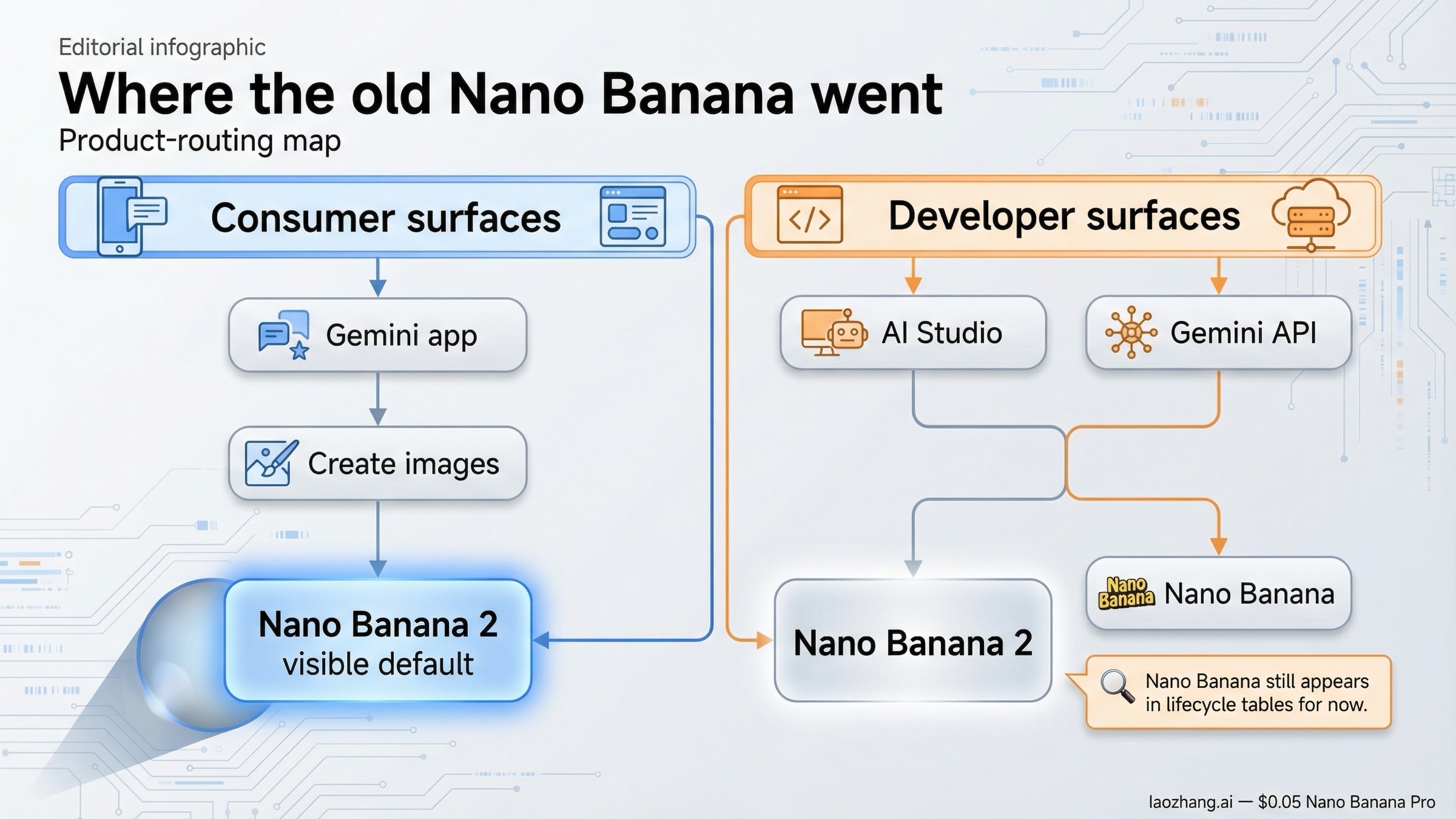
In the Gemini consumer experience, the current official image-generation overview is centered on Nano Banana 2. The FAQ describes entering the image flow through Create images and choosing Fast, Thinking, or Pro modes. It also says Google AI Pro and Ultra users can redo generations with Pro. What it does not do is foreground the older Nano Banana as a first-class choice. That is why people searching this keyword often feel like the old model disappeared. In product language, Google has moved on.
That is not the same thing as an API shutdown. In AI Studio and the Gemini API lifecycle tables, the older model still exists as gemini-2.5-flash-image. Google's official deprecations page does not mark it as already shut down. Instead, it gives an earliest shutdown date of October 2, 2026 and explicitly points to Nano Banana 2 as the replacement. So the more accurate answer is:
- in the consumer app story, Nano Banana 2 is the current image path
- in the API story, the older Nano Banana is still alive for now
- in the product roadmap story, Google is clearly steering everyone toward Nano Banana 2
That distinction matters for planning. If you are just using Gemini as a consumer and want the best current default, you do not need to chase the old model. If you are a developer, you do need to know that the old model still exists, because it changes your migration timeline and cost options.
It also explains why page-one results feel inconsistent. News articles summarize the rollout from the app side, which makes Nano Banana 2 feel like a full replacement. Community threads focus on the missing UI choice, which makes the old model feel "gone." API docs show a more nuanced truth. A good article for this keyword has to reconcile those three views instead of picking one and pretending it is the whole picture.
If your next question is broader access rather than model choice, the practical follow-up reads are Is Nano Banana free? and our Nano Banana 2 free trial guide, because pricing, quotas, and free access paths are a different decision from model migration.
How to migrate prompts and API calls without breaking your workflow
If you are ready to move, the migration itself is not conceptually hard. What trips teams up is assuming that a model rename means behavior will be identical. It usually is not.
The first step is to make the naming explicit inside your code and docs. Stop writing "Nano Banana" as if it is a permanent universal label. In engineering terms, that nickname is already too ambiguous. Use the actual model IDs everywhere your team makes choices:
gemini-2.5-flash-imagefor the older Nano Bananagemini-3.1-flash-image-previewfor Nano Banana 2
That change seems small, but it removes half the confusion that created this keyword in the first place.
The second step is to decide whether you want a full cutover or a controlled dual-model period. A full cutover is fine if your workload is straightforward and you already know you want the higher-resolution ladder or newer text behavior. A dual-model period is better if cost per 1K image matters, if prompt style matters, or if you need to preserve a stable fallback while the preview model matures.
In practical terms, a safe migration playbook looks like this:
- Duplicate a representative prompt set and run it on both models.
- Separate evaluation into three buckets: look/style preference, text quality, and cost per useful image.
- Move new or higher-value workflows to Nano Banana 2 first.
- Keep Nano Banana for 1K budget-sensitive jobs until the newer model earns the extra spend or until the old model's lifecycle window gets too close for comfort.
This is also the right place to resist validator-style thinking. The question is not "can the new model produce an image?" The question is "does the new model improve the workflow enough to justify the change?" For many teams the answer will be yes immediately. For others, especially high-volume 1K generation workloads, the real answer might be "yes, but not everywhere at once."
If you need a deeper cost-only breakdown, the relevant companion article is Nano Banana 2 pricing. If you need the launch-context explainer for the newer model itself, start with Nano Banana 2 Gemini Flash Image preview.
The bottom line is straightforward. Nano Banana 2 is the model most people should use now because it is the current direction, the broader-capability path, and the one Google is actively centering in its product surfaces. The original Nano Banana is not dead yet, and it is still worth keeping when 1K cost efficiency or workflow stability is the deciding factor. Treat Nano Banana 2 as your new default. Treat Nano Banana as your temporary, deliberate exception.
FAQ
Is Nano Banana gone?
No. The older Nano Banana is still listed in the Gemini API as gemini-2.5-flash-image. What changed is that Google's consumer-facing image experience now centers Nano Banana 2, so the old model feels much less visible in the Gemini app than it did in 2025.
Why is the old Nano Banana still cheaper than Nano Banana 2?
Because the old model is still priced as a simpler 1K-oriented image path, while Nano Banana 2 gives you a broader resolution ladder and newer capability envelope. If you only need cheap 1024x1024 output, the old model can still be the better value.
Should I migrate immediately if my current workflow already works?
Not necessarily everywhere at once. The best move is usually a staged migration: keep the old model for budget-sensitive 1K work, test Nano Banana 2 on prompts that need better text or larger outputs, then expand the cutover once the results justify the extra spend.